Call Center Setup
Call Center Setup Solutions in Lahore
We set up inbound and outbound call centres: the PBX or dialer, SIP trunks, IVR and queues, agent phones and headsets, and the reports supervisors need.
- Inbound, outbound or blended
- Queues, IVR and reporting
- Agent desks ready to work
Our call center setup service gives businesses in Pakistan a complete inbound, outbound or blended contact centre: the PBX or dialer, SIP trunks, IVR and queues, agent phones and headsets, and the reports supervisors need. Every system is planned around your number of agents, campaigns and working hours, and our engineers in Lahore stay on hand after go-live.
What our call center setup includes
- Inbound queues with IVR, overflow and after-hours rules.
- Outbound campaigns with predictive and auto dialers such as VICIdial and GoAutoDial.
- SIP trunks with enough channels for peak hours.
- Agent workstations: IP phones, headsets or softphones.
- Live monitoring, call recording and queue reports.
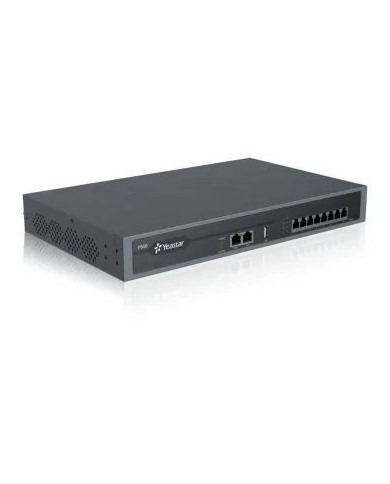
Inbound, outbound and remote agents
Inbound teams get IVR menus, queues and wallboards so no caller waits without an answer. Outbound teams get dialers connected to enough channels for their campaigns. Agents can also work from home on softphones, with the same queues and call recording as in the office. You can read more about how a call centre works.
How we plan a call center setup
We start with your seats, call volume and campaigns, size the IP PBX and channels for the busiest hour, then configure the system, test every route and walk supervisors through the reports before handover.
What we cover
Call Center Setup services in detail
Inbound & outbound setup
Campaigns, queues and caller ID configured for how your team works.
Dialers
Predictive and auto dialers such as VICIdial and GoAutoDial.
VoIP & SIP trunks
Enough channels for peak hours, with failover.
PBX & IVR
Menus, queues and overflow rules.
Agent workstations
IP phones, headsets and softphones configured per agent.
Monitoring & reporting
Live monitoring, call recording and queue reports for supervisors.
Who it's for
Where Call Center Setup fits
- Customer supportInbound queues with IVR and recordings.
- Sales teamsOutbound campaigns with dialers.
- Remote agentsAgents working from home on softphones.
- Growing teamsAdd seats without rebuilding the system.
How we work
From first call to support
- 01
Tell us what you need
Users, branches, numbers and the phones you have. A short call or WhatsApp chat is enough.
- 02
Get a clear plan
We recommend the Call Center Setup setup, list the hardware and explain the costs before work starts.
- 03
Installation & configuration
Our engineers install, configure and test every extension, route and device.
- 04
Handover & 24/7 support
You get a short handover and a team to call for changes or faults, any time.
Related products
Hardware for Call Center Setup
-
All ProductsOrder on WhatsApp
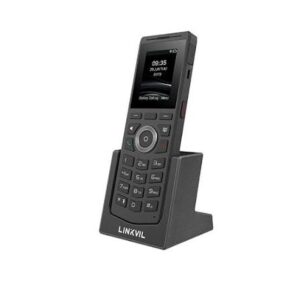
Fanvil Linkvil W610W Price in Pakistan | WiFi IP Phone
Original price was: ₨ 69,960.₨ 57,960Current price is: ₨ 57,960. Add to cart -
All ProductsOrder on WhatsApp
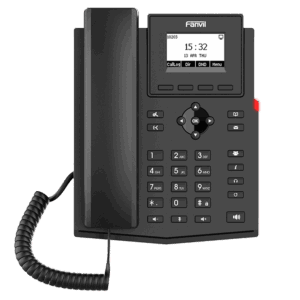
Fanvil X301W IP Phone Price in Pakistan | Wi-Fi SIP Phone
Original price was: ₨ 25,825.₨ 20,825Current price is: ₨ 20,825. Add to cart -
All ProductsOrder on WhatsApp
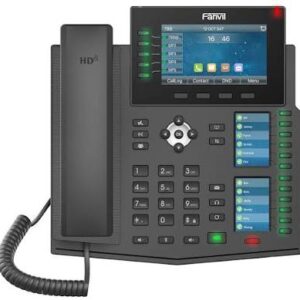
Fanvil X6U IP Phone Price in Pakistan | Premium SIP Business Phone
Original price was: ₨ 85,240.₨ 72,240Current price is: ₨ 72,240. Add to cart -
All ProductsOrder on WhatsApp
Fanvil V64 IP Phone Price in Pakistan | Executive SIP Business Phone
Original price was: ₨ 65,720.₨ 55,720Current price is: ₨ 55,720. Add to cart
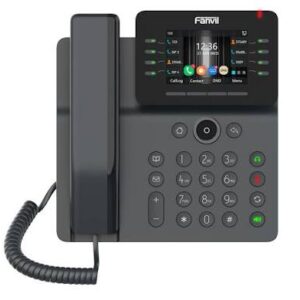
Browse: IP Phones · IP PBX Systems
FAQ
Questions about Call Center Setup
How long does a call center setup take?
It depends on seats and campaigns. A small team is usually quick; larger centres are set up in stages so calls keep running.
Can you provide SIP trunks for the call centre?
We set up SIP trunks with enough channels for your agents and configure routing and failover.
Do you install predictive and auto dialers?
Yes, including VICIdial and GoAutoDial, configured with your campaigns and trunks.
Can agents work remotely?
Yes. Remote agents use softphones connected securely to the system.
Do you support the call center after setup?
Yes. We handle changes and faults after go-live, with 24/7 technical support.
Related services
Often combined with Call Center Setup
SIP Trunk Services
SIP trunks configured on your PBX, with channel sizing and failover.
Learn moreIP PBX
IP PBX installation and configuration for single and multi-site offices.
Learn moreSoftware IP PBX
On-premise or virtual PBX software with SIP trunks, queues and voicemail.
Learn moreCloud PBX
Hosted phone system with extensions, IVR and call routing — no PBX hardware on site.
Learn more