


Description
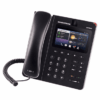
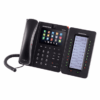
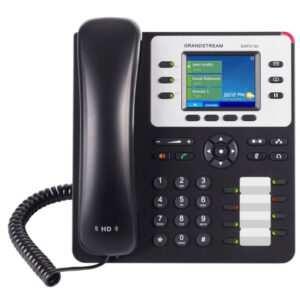
Grandstream GXV3240 IP Phone
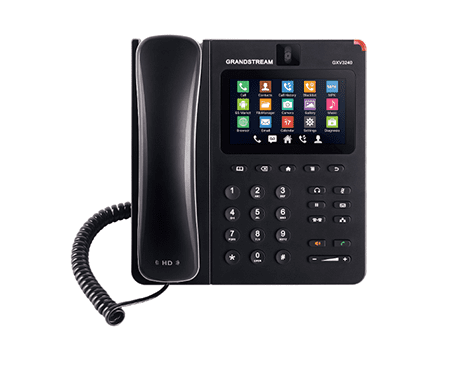
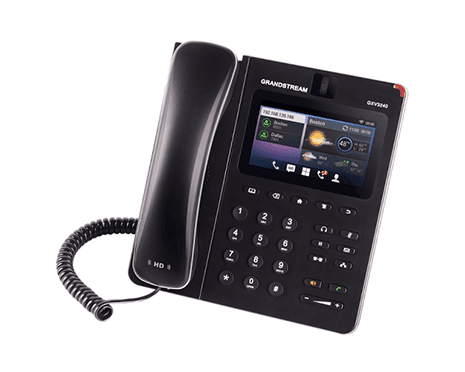
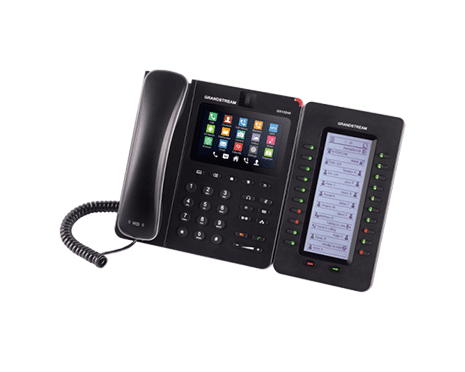
The Grandstream GXV3240 IP Phone is an advanced Android‑powered VoIP desk phone designed to boost business communication. Ideal for offices, call centers, and corporate teams in Pakistan, this smart VoIP phone combines touchscreen usability with powerful Android features, enabling seamless collaboration and productivity.
Grandstream VoIP Android Touchscreen
The GXV3240 features a responsive Android‑based touchscreen that simplifies user interaction and supports business apps, calendars, and communication tools. With its intuitive touch interface, users can easily navigate menus, make video calls, check messages, and launch productivity apps, bringing smartphone‑like convenience to your desk phone.
Multi‑SIP Support and Business Call Handling
Supporting multiple SIP accounts and lines, the Grandstream GXV3240 allows staff to manage internal and external calls efficiently. With multi‑line VoIP configuration, users can handle several calls at once and switch between extensions with ease, making it perfect for receptionists, managers, and busy office teams.
It integrates smoothly with popular IP PBX systems and SIP servers such as Grandstream, Yeastar, and other business VoIP platforms commonly used in Pakistan.
HD Voice Quality and Video Calling Capabilities
Clear communication is essential for professional environments. The GXV3240 delivers HD voice quality on both handset and speaker, ensuring crisp audio during calls. Built‑in video calling support allows teams to connect face‑to‑face for meetings, remote collaboration, and presentations without extra devices.
PoE and Gigabit Connectivity of Grandstream GXV3240
The phone includes Power over Ethernet (PoE) support, letting a single network cable carry both power and data. This reduces clutter and simplifies installation in structured office networks. Dual Gigabit Ethernet ports ensure high‑speed data transfer for voice and video traffic, delivering smooth performance throughout the workday.
Enterprise Security and Remote Management
Security features such as secure boot, encrypted credentials, and protection against VoIP threats safeguard your business communication. The GXV3240 also supports remote provisioning via Grandstream Device Management System (GDMS), so administrators can configure devices across locations without manual setup.
Frequently Asked Questions of Grandstream GXV3240
Q. Does my Grandstream IP phone support Power over Ethernet (PoE)?
A. Most modern Grandstream models, including the GRP and GXP series, feature integrated PoE switch support, allowing the device to receive both power and data through a single Ethernet cable.
Q. How do I find the IP address of my Grandstream IP phone?
A. Press the Menu or OK button and navigate to Status > Network Status to find the IPv4 address for web-based configuration.
Q. How do I factory reset a Grandstream phone without a password?
A. Hold the MUTE button for 15 seconds or enter the MAC address via the LCD menu under System > Operations to restore default admin settings.
Q: Can Grandstream IP phones integrate with existing IP PBX or VoIP systems?
A. Absolutely. These business VoIP devices are SIP-compliant and work seamlessly with platforms likeGrandstream and Yeastar and other hosted VoIP services.
Contact us for the latest price in Pakistan and expert advice to choose the right VoIP solution for your team.
Reviews
There are no reviews yet.